
Luminar Neo Adds AI Assistant: Edit Photos via Text Prompts
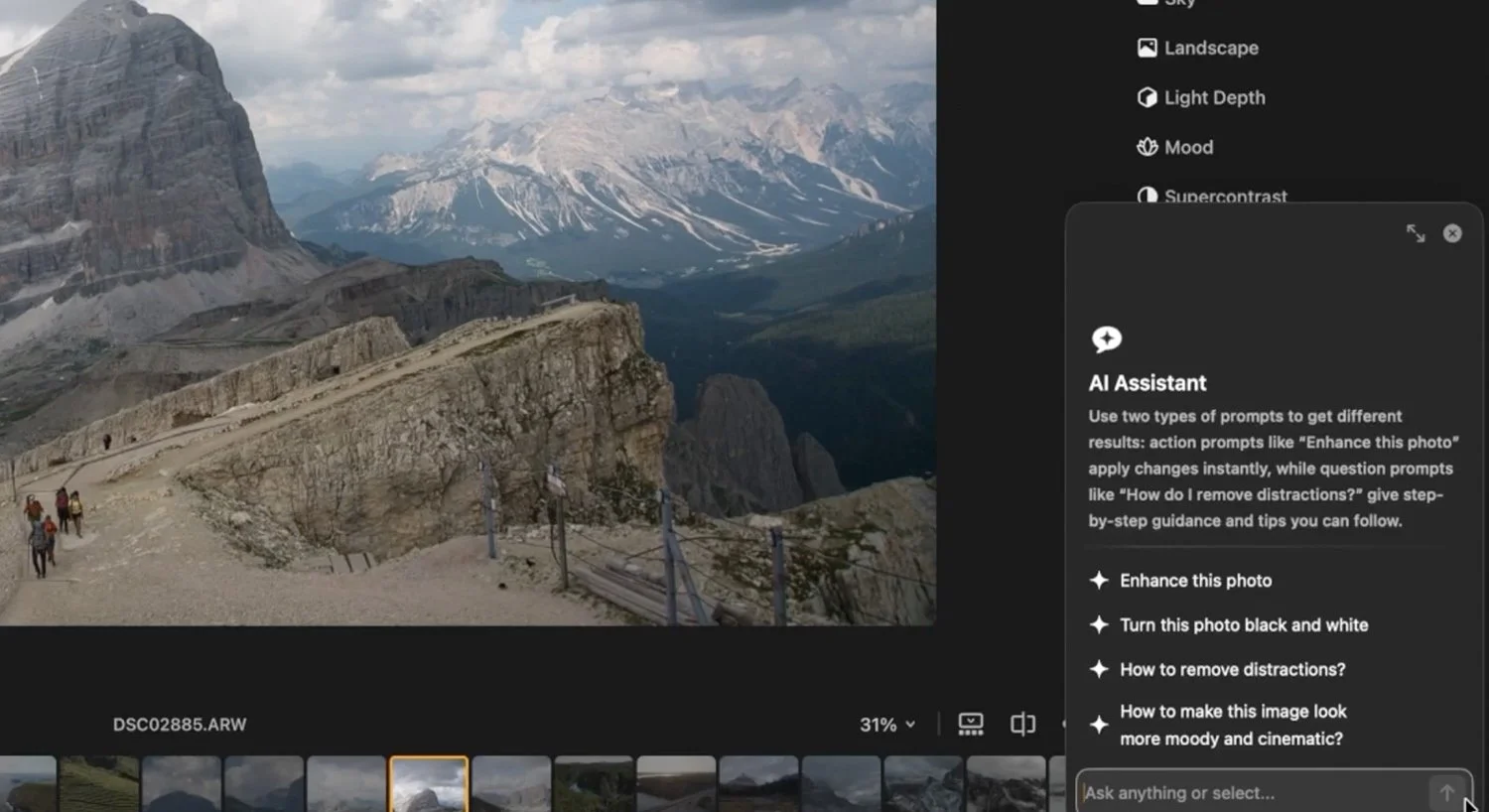
Image Source: Luminar Neo
Skylum’s photo editor Luminar Neo is getting renewed attention after photography press highlighted a feature called AI Assistant, introduced in the Luminar Neo 1.26.0 release dated 23 December 2025. The update signals a shift in post production tooling away from only adding more sliders, and toward using natural language prompts to help users reach common editing outcomes faster and with fewer steps.
























How the AI Assistant Works
Skylum describes AI Assistant as a built in helper that responds to text prompts in two modes:
Action prompts such as “Enhance this photo” return three suggested adjustment sets, each shown with live previews before you apply anything.
How to prompts such as “How do I remove this object?” provide step by step guidance and include buttons that take you to the relevant tools in Luminar Neo.
Skylum’s documentation positions this as guidance and suggested edits rather than an automated “one click transformation” system, with the user still choosing what to apply.




























Internet Requirement
Skylum states that AI Assistant is available only in Luminar Neo and requires an internet connection. It also lists broad language support, including English, Japanese, Korean, and both Simplified Chinese and Traditional Chinese.
Some third party coverage has interpreted the internet requirement as a sign the processing happens off device. For example, Fstoppers wrote that the AI is done “in the cloud”. Skylum itself does not publicly spell out the processing architecture on the AI Assistant page, so it is safest to treat the cloud detail as third party reporting rather than a confirmed technical disclosure from Skylum.























Current Limitations
Skylum notes that AI Assistant does not yet support Generative, Merge, or Enhancement tools from the Catalog. It can suggest how to use tools in the Edit tab, but it will not apply those Edit tab tools automatically. Skylum also says more guidance and features are planned for future updates.
For photographers, this matters because it positions AI Assistant as a workflow layer over the existing editor, rather than a feature that expands the range of synthetic image generation inside the app.


























Other Changes Bundled with the Same Release
Alongside AI Assistant, Skylum’s 1.26.0 notes mention export performance improvements when a photo has multiple edits, claiming up to 20 percent faster export on Windows and 15 percent on Mac. The same release also lists expanded RAW camera support for: Canon EOS R6 Mark III, Canon EOS C50, Fujifilm X T30 III, Leica M EV1, Leica Q3 Monochrom, and Sony DSC RX100 VIIA.
























How It Compares with Adobe’s Direction
Luminar Neo’s prompt based assistant arrives as Adobe is publicly pushing creative apps toward more assistant style workflows.
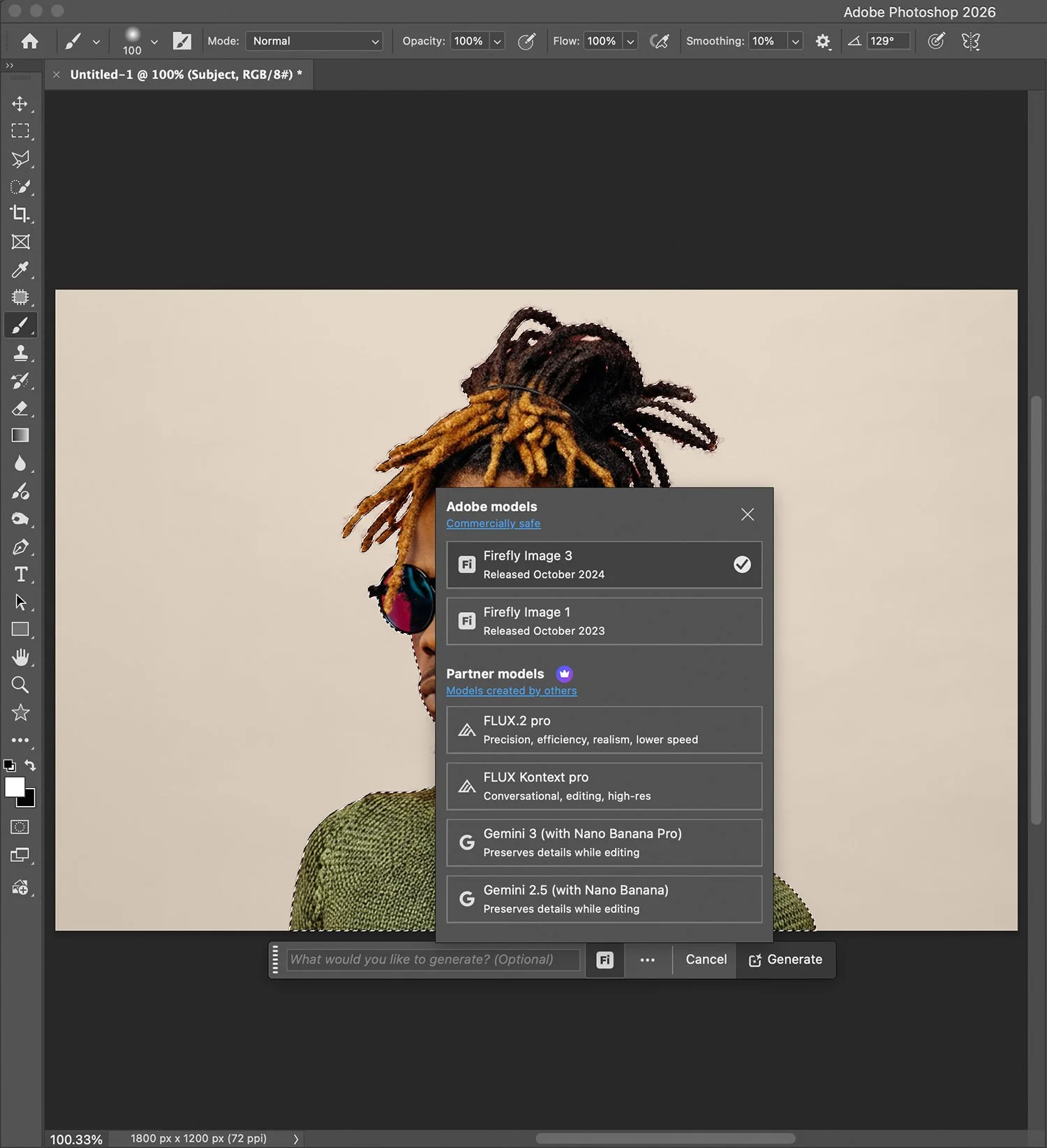
In Photoshop Beta, Adobe’s documentation describes a reworked Actions panel that analyses an image and suggests recommended multi step edits that can be applied from within the panel. This is not identical to Skylum’s prompt box, but the intent is similar: reduce menu hunting and help users reach common outcomes through guided automation.
Adobe also documents an AI Assistant (Beta) in Photoshop Elements 2026, designed to perform common photo edits via text prompts, step by step guidance, or one click actions, and Adobe states an internet connection is required for AI powered actions.
Adobe’s broader messaging frames this as part of a move toward conversational interfaces and more agent like assistance inside creative tools, rather than keeping AI features as separate add ons.
























Why This Matters for Post Production Workflows
The practical value of assistant style features is often less about inventing a new look and more about reducing friction:
Faster starting points for routine corrections
Lower learning curve for newer editors who know what they want but not which tool to use
More consistent workflows when editors repeat the same kinds of adjustments across many images
At the same time, Skylum’s own framing keeps the assistant as suggestions and guidance, which implicitly acknowledges a common limit of AI editing: style decisions, subtle colour intent, and local storytelling choices still rely heavily on human judgement.





































 TheDayAfterAI News
We are a leading AI-focused digital news platform, combining AI-generated reporting with human editorial oversight. By aggregating and synthesizing the latest developments in AI — spanning innovation, technology, ethics, policy and business — we deliver timely, accurate and thought-provoking content.