
Adobe Adds FLUX.2 Pro to Photoshop Generative Fill, Expanding Its Partner AI Model Lineup

Image Source: Adobe Photoshop 2026
Adobe has updated Photoshop on desktop to version 27.2, with the release notes page showing it was last updated on 17 December 2025. The main AI change flagged in that update is the addition of FLUX.2 pro as a partner model option inside Generative Fill, which Adobe says is intended to help users get results closer to their intended style.

















What Changed in Version 27.2
In the official desktop release notes, Adobe lists one feature update for December 2025: FLUX.2 pro is now available as a partner model in Generative Fill. The same page states that Photoshop 2026 desktop is currently version 27.2.
This matters for post production workflows because Generative Fill is commonly used for background extensions, object removal, and compositing steps that traditionally required manual retouching. What changes here is that the same selection and prompt can now be processed by different underlying AI engines, depending on which model the user chooses.


























How Model Choice Works Inside Photoshop
Adobe’s help documentation describes a straightforward workflow: you open an image, choose Generative Fill (or Generative Expand) from the Contextual Task Bar, then select an AI model from the same task bar before generating results.
Adobe also frames partner models as part of a broader “choice” approach, stating that users can select between Adobe’s own models and partner models from model dropdown menus.






















Generative Credits Differ by Model
Adobe ties model choice to its generative credits system, and the credit gap is significant.
According to Adobe’s “Select an AI model for generative control” page, Firefly based Generative Fill and Generative Expand are standard features that use 1 credit per generation, while partner model use is treated as a premium feature with higher credit deductions.
For the partner models listed on that page, Adobe states these credit costs per generation:
Gemini 3 (with Nano Banana Pro): 40 credits
FLUX.2 pro: 20 credits
Gemini 2.5 (Nano Banana): 10 credits
FLUX.1 Kontext [pro]: 10 credits
The practical impact for everyday editors is that “best model” becomes a balancing act between quality, cost per attempt, and the number of variations typically needed to land a usable result. For casual clean up tasks, a 1 credit option may be the default. For harder composites where the look matters more, the higher credit partner models are likely to be used more selectively.























Why Adobe Is Expanding Partner Models Now
Adobe explicitly links its partner model strategy to community demand for flexibility. In its partner models FAQ, Adobe says it receives requests for more options on which models can be used within its apps, and that it plans to continue listening to feedback and provide further updates.
From an IT industry perspective, this is consistent with a wider shift toward “multi model” creative tooling, where the software vendor focuses on workflow, controls, and governance layers, while offering access to multiple underlying model providers.






















Commercial Suitability and Responsibility Sits With The Creator
Adobe’s partner models page includes a clear responsibility statement: Adobe provides access to information about partner models, but says it is the creator’s responsibility to decide whether a partner model is appropriate, considering factors such as what the model is designed for, how it was trained, and whether it is safe for commercial use. Adobe also points users to the terms of service for the specific model they are using.

















What Adobe Documents about Partner Model Flows
Adobe’s Trust Center fact sheet on partner models describes what is stored by default in a user’s generation history in Creative Cloud storage, including generated output, prompt text, configuration settings, and reference content where selected. It also states that masked or selected content, such as in Generative Fill, may be uploaded, processed, and cached for 24 hours or less.
The same fact sheet notes that the developer or owner of the partner model may additionally store input and or output in a different location.
For organisations, another operational detail in that document is that Adobe says it processes and caches Firefly input content in AWS data centres in the US East and US West regions, regardless of user location, and stores Content Credentials in AWS US East.



























Content Credentials: Adobe’s Transparency Positioning
Adobe says it has integrated Content Credentials to promote transparency around how content was created, and that Content Credentials are attached to images wholly created using generative AI. Adobe also says users can review Content Credentials to see which model was used to generate an image.
In practice, this positions Adobe’s model picker approach as not only a creative choice feature, but also part of a provenance and disclosure narrative that is becoming more important as synthetic and heavily edited images become harder to distinguish from traditional edits.























How This Fits into Recent Photoshop AI Updates
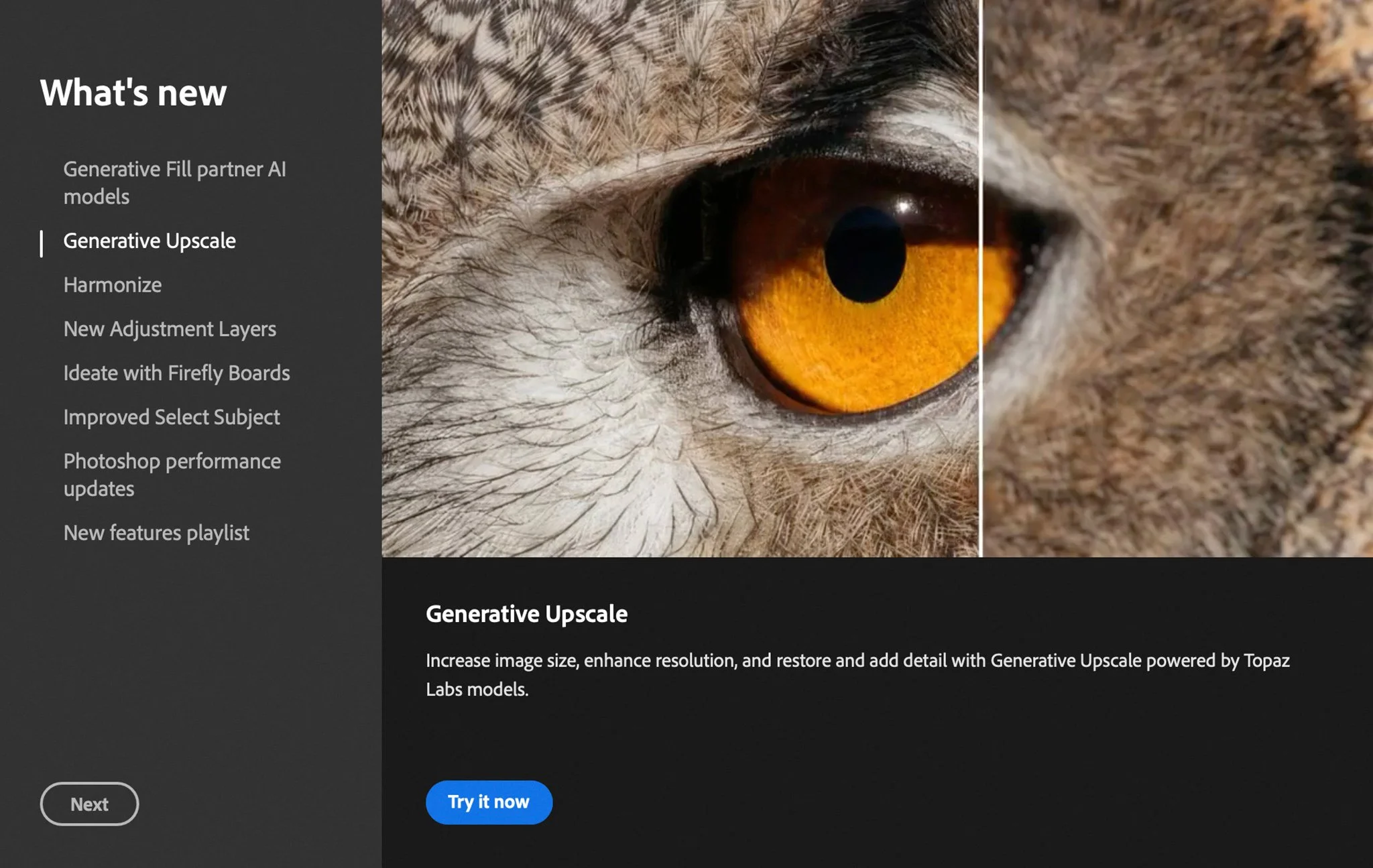
The December 2025 change continues a direction that Adobe highlighted earlier in the Photoshop 2026 cycle. In the October 2025 release notes, Adobe described new partner AI models in Generative Fill, plus other AI assisted additions like Harmonize for matching lighting, colour and shadow, and Generative Upscale powered by Topaz Labs.
Seen alongside those earlier updates, FLUX.2 pro looks less like a one off feature and more like another step in turning Photoshop into a single workflow hub that can route a task through different AI systems depending on the user’s intent and budget for credits.







































 TheDayAfterAI News
We are a leading AI-focused digital news platform, combining AI-generated reporting with human editorial oversight. By aggregating and synthesizing the latest developments in AI — spanning innovation, technology, ethics, policy and business — we deliver timely, accurate and thought-provoking content.